
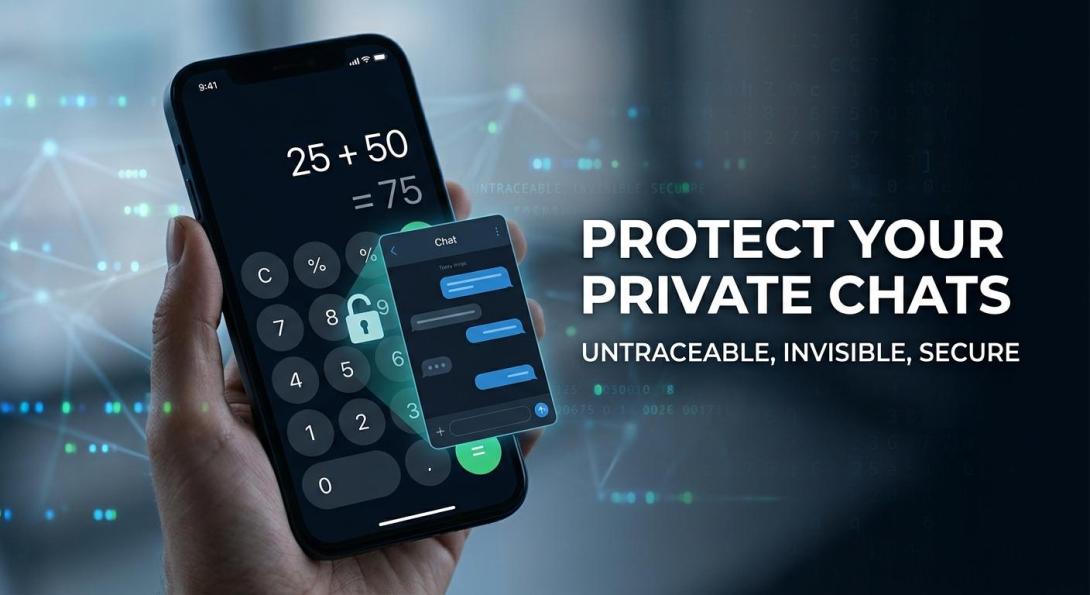
We have all experienced that sudden, uncomfortable jolt when someone asks to borrow our phone. Whether it is a friend checking a sports score, a family member making an urgent call, or a coworker reviewing a project file, handing over an unlocked Android device often feels like handing over the keys to your personal life.
The biggest worry is never the task at hand—it is what might pop up while they are holding it. An unexpected preview banner, an unread message badge, or an open chat window can expose private conversations in a fraction of a second. If you want genuine peace of mind whenever your screen is active, relying on an undetectable Hidden messaging app is the only reliable way to keep your conversations completely shielded from outside view.
Most Android users try to solve this dilemma using default system tools or third-party app lockers. You might set up biometric fingerprint locks, assign a secondary PIN to your communication apps, or hide conversations inside archived tabs.
Unfortunately, standard locks rarely solve the underlying problem. The moment someone taps an application on your home screen and runs into an aggressive padlock screen, an awkward conversation starts: "Why is this app locked? What are you hiding from me?"
Putting up an obvious digital barrier does not protect your personal boundaries—it merely advertises to everyone around you that you have secrets. Real privacy should never draw attention. To enjoy complete discretion, your private messages need to be completely invisible from the start.
Why Built-In Android Chat Locks Still Leave You Exposed
Android offers several built-in customization and security settings, but when it comes to keeping conversations confidential, conventional techniques fall short:
- In-App Archive Folders: Archiving a chat removes it from your primary inbox, but the messaging application itself remains visible in your app drawer. Anyone casually exploring your phone can pull down on the chat list and view your archived folders immediately.
- Obvious Third-Party App Lockers: These utilities place a conspicuous PIN or password overlay on top of selected apps. While they prevent unauthorized access, they create instant suspicion among friends, family members, or partners.
- Notification Preview Toggles: Disabling lock-screen previews keeps text hidden while your device is locked, but it does nothing to protect you once your phone is unlocked and someone is actively looking at your display.
The fatal flaw with all of these solutions is visibility. Human nature is fundamentally curious—when people see a locked door, they immediately want to know what is behind it.
True privacy requires removing the target entirely. Instead of locking an obvious application, the smarter solution is using a dedicated Private Messaging App that completely camouflages its presence on your device.
What True Communication Privacy Looks Like
When you upgrade from standard messaging platforms to an invisible communication setup, you gain complete control over your personal space. A properly secured environment delivers clear, practical benefits:
- Keep conversations completely private: Send and review messages in crowded transit hubs, busy offices, or shared living rooms without worrying about shoulder surfers.
- Hide chats from curious people: Hand your phone to friends, parents, or coworkers without ever having to explain why an app is locked behind a password.
- Protect sensitive business and personal details: Keep confidential work projects, legal strategies, financial data, and personal reflections safe from prying eyes.
- Chat anonymously without identity links: Communicate freely without linking your personal phone number, cellular plan, or SIM card to your account.
- Feel completely relaxed with an unlocked phone: Never experience that sinking feeling in your chest when someone borrows your device to take a photo or look up directions.
Achieving this level of everyday comfort requires a specialized tool engineered specifically to avoid detection.
The Solution: Disguise Chat
When standard communication tools leave your private life vulnerable, Disguise Chat provides a dependable, covert alternative. Designed from the ground up as a premier Secret Messaging App, it ensures that your sensitive conversations stay completely hidden—even when your phone is unlocked and someone else is holding it.
Instead of showing conspicuous locks or hidden folders, Disguise Chat conceals itself in plain sight by operating under the guise of an ordinary, fully functional smartphone utility.
Core Stealth Features Designed for Complete Discretion
1. The Fully Working Hidden Calculator
On your Android home screen and in your application drawer, Disguise Chat does not present itself as a communication platform. It appears and operates as an authentic mathematical calculator.
- Anyone who opens the app sees a standard numerical interface capable of handling equations, addition, percentages, and daily math.
- The confidential messaging dashboard remains completely invisible until you enter your personal, secret numerical PIN into the keypad.
- Because the calculator works seamlessly, anyone borrowing your phone will simply use it for math, never suspecting that a secure Hidden Chatting App is running underneath.
2. Automatic Inactivity Lock
Unexpected interruptions happen constantly throughout the day. You might set your device down during a meeting or slip it into your pocket when someone walks into the room. Disguise Chat actively monitors screen activity. If your display goes idle for a few moments or if you switch to another window, the app immediately terminates your active session and snaps straight back to the basic calculator display.
3. Truly Anonymous Accounts Without Phone Numbers
Most messaging platforms require an SMS verification code, permanently tying your chat history to your personal identity and cellular provider. Disguise Chat breaks this chain completely. You do not need a phone number, SIM card, or email address to register. Every user receives a randomly generated anonymous ID, ensuring your profile is never exposed through address book synchronizations.
Multi-Layered Technical Safeguards
A reliable Secure private messenger must combine visual camouflage with uncompromised encryption. Disguise Chat incorporates multiple structural defenses:
- End-to-End Encryption: Messages and media files are encrypted locally on your phone before transmission. Only the intended recipient possesses the key to decrypt them, keeping your exchanges safe from outside observers and intermediate servers.
- Covert Utility Interface: The software avoids telltale chat indicators, notification previews, or unread message counters that could attract wandering eyes.
- Instant Auto Lock Trigger: Background switches or brief screen timeouts instantly engage the calculator facade to prevent accidental exposure.
- Emergency Panic PIN: If you ever find yourself in a coercive situation where someone demands to see what happens on the calculator, typing an alternative panic passcode opens a clean, empty decoy screen rather than your genuine chats.
- Zero Address Book Access: With no contact list scraping, your connections remain completely isolated from outside networks and telecom databases.
- Encrypted On-Device Storage: All chat logs and media files reside in encrypted storage partitions within your device, preventing data extraction through external cables or local file-manager tools.
For users searching for a dependable Hidden messenger app for Android, this multi-tiered architecture delivers total defense against both casual screen snooping and digital data harvesting.
How to Set Up Your Covert Messaging Environment
Switching to an invisible communication workflow takes only a couple of minutes:
- Install the App: Visit disguise.chat and download the application directly to your smartphone.
- Configure Your Secret Numerical PIN: Choose a private combination of numbers that serves as your calculator unlock key.
- Connect Using Your Anonymous ID: Share your randomly generated code with your trusted contact—no phone number or personal email needed.
- Chat with Complete Confidence: Exchange messages and share thoughts freely, knowing your conversations remain invisible to anyone around you.
Why Mainstream Communication Apps Fall Short
Mainstream messaging services like WhatsApp, Telegram, or Signal offer solid transit encryption, but they are built for open public interaction. They announce new messages with alerts, show distinctive icons on your app grid, and notify your entire contact list the moment you join.
Disguise Chat solves physical and identity-level exposure simultaneously. By combining ironclad encryption with a believable utility camouflage and zero-credential registration, it ensures that your personal space stays private under every circumstance.
Take Back Control of Your Digital Privacy
Your private conversations belong to you alone—not curious friends, family members, or coworkers who happen to pick up your phone. You should never have to compromise your identity or explain visible app locks just to have a personal conversation.
Experience total digital discretion with a communication platform built to keep your identity untraceable and your chats completely invisible.
Download Disguise Chat today at disguise.chat and experience messaging that stays truly hidden.
Frequently Asked Questions (FAQs)
1. How is a secret messaging app different from ordinary chat applications?
A standard chat app features distinct branding, requires your personal mobile number, and displays message banners across your screen. A dedicated secret messaging application like Disguise Chat disguises its entire interface behind an everyday utility (such as an authentic calculator), operates without phone numbers or personal emails, and keeps your communication space hidden until an exclusive passcode is entered.
2. What happens if someone uses my calculator to solve an equation?
The calculator functions like an ordinary mathematical tool. It handles addition, subtraction, division, and other calculations smoothly without showing any indication that an encrypted messaging network exists behind it.
3. Do I need to verify my phone number or email address?
No. Disguise Chat requires no personal credentials. You receive a unique, randomized anonymous ID upon installation, ensuring your account remains detached from your real-world identity.
4. What happens if I forget to close the app after reading a message?
Disguise Chat features an automated inactivity lock. The moment you navigate away from the app or let the screen sit idle, it instantly closes your chat screen and resets to the default calculator view.
5. Are my conversations protected from interception?
Yes. Disguise Chat utilizes end-to-end encryption. Every message is scrambled directly on your device and can only be decrypted by the intended recipient, keeping your exchanges safe across networks.