

Automated transcription can turn an hour of recorded speech into editable text in a fraction of the time required for manual typing.
That does not mean every transcript is immediately ready to publish.
Names may be misspelled. Numbers may be confused. Two speakers may be assigned the same label, while a technical term can be replaced with a more common word that sounds similar. Background noise, overlapping speech, and distant microphones can also affect the first draft.
The inefficient response is to replay the entire recording from the beginning while reading every sentence.
A better method is to review the transcript according to risk. Check the details that can change the meaning of the final document, use timestamps to return to uncertain sections, and apply a consistent standard based on how the transcript will be used.
Decide What the Transcript Is For
The correct review process depends on the final purpose.
A private set of brainstorming notes does not require the same level of checking as a published interview. Meeting action items need accurate names, owners, and deadlines. Video subtitles need readable timing, while research quotations must remain faithful to the speaker’s original meaning.
Before reviewing, classify the intended output:
- Internal reference
- Meeting notes
- Published interview
- Podcast show notes
- Research material
- Customer-call record
- Training documentation
- Subtitle file
- Legal or compliance-related record
The higher the consequence of an error, the more carefully the transcript should be checked.
A rough transcript may be sufficient when someone only needs to remember the general subjects discussed. A direct quotation intended for publication should be verified word by word against the original recording.
Keep the Transcript Connected to the Recording
A transcript becomes much easier to verify when every segment remains connected to its source time.
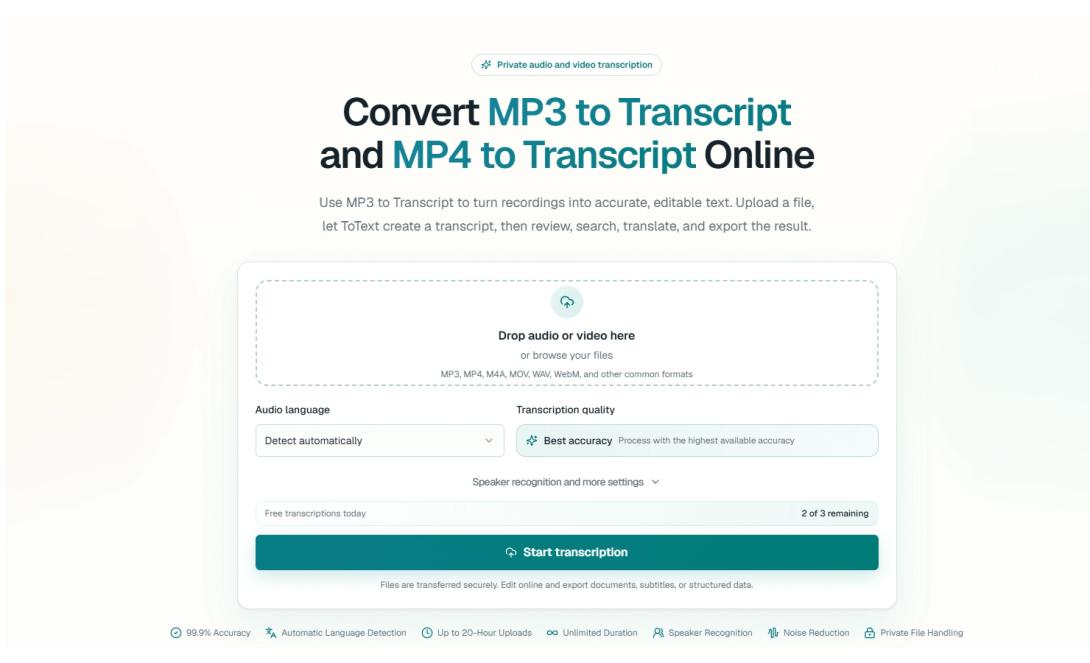
For an audio recording, a browser-based MP3 to Transcript workflow can provide searchable text while allowing the reviewer to return to the relevant moment in the original recording.
This changes the review process.
Instead of listening continuously, the reviewer can:
- Search for an important term.
- Open the matching transcript segment.
- Play several seconds of surrounding audio.
- Confirm or correct the wording.
- Continue to the next high-priority detail.
The transcript provides speed. The recording provides evidence.
Removing the connection between them forces the reviewer to search manually through a separate media player, which often takes longer than the correction itself.
Review High-Risk Details First
Not all transcription errors have the same effect.
A missing filler word may not matter. A wrong date, price, measurement, or customer name can create a serious misunderstanding.
Begin with details that are most likely to affect a decision:
Names
Check personal names, companies, products, locations, organizations, and job titles.
Unusual names are easily replaced with common words. A company called “Sonex” might become “sonics,” while a surname may be divided into two unrelated words.
Numbers
Verify prices, percentages, quantities, dates, times, phone numbers, model numbers, account references, and measurements.
The difference between 15 and 50 may be difficult to notice when reading quickly but important in a final report.
Technical Terms
Search for abbreviations, software names, medical or scientific terminology, industry expressions, and file formats.
Automated systems often replace unfamiliar vocabulary with a more common phrase that sounds similar.
Commitments
Look for sentences involving deadlines, approval, responsibility, payment, delivery, or follow-up.
A transcript that changes “we could deliver Friday” into “we will deliver Friday” changes a suggestion into a commitment.
Quotations
Any sentence that will be published under a speaker’s name should be checked with the source recording and surrounding context.
Search for Important Language
A complete transcript does not always need to be read from the first word to the last.
Search terms can identify the parts most likely to contain decisions or useful information.
For a meeting, useful terms may include:
- Agreed
- Approved
- Deadline
- Responsible
- Deliver
- Budget
- Follow-up
- Next week
- Final
- Blocked
For an interview, search for:
- Because
- Difficult
- Decided
- Expected
- Problem
- Changed
- Recommend
- First time
- Alternative
For customer calls, search for:
- Error
- Charged
- Cancel
- Refund
- Unable
- Account
- Order
- Urgent
- Promised
Search results are not automatically accurate or important. They simply provide efficient starting points for review.
Correct Speaker Labels Early
Speaker identification affects almost every later output.
A meeting summary may attribute a task to the wrong person. An interview article may assign a quotation to the interviewer instead of the guest. A customer complaint may appear to come from a support agent.
Generic labels such as Speaker 1 and Speaker 2 are useful during initial processing, but they should be replaced with names or roles when identity matters.
For example:
- Host
- Guest
- Interviewer
- Participant
- Project Manager
- Customer
- Developer
- Instructor
Correcting labels early makes summaries, quotations, decisions, and action items easier to create later.
When several people interrupt one another, listen to the surrounding section. It is better to mark a speaker as uncertain than to assign the statement without evidence.
Check the Beginning, Middle, and End
Recording conditions can change during a long session.
The microphone may be clear at the beginning and distant after someone moves. A video call may experience network problems in the middle. Background music may begin during a presentation, while the final audience questions may be quieter than the main speaker.
Before detailed editing, sample several sections:
- The first two minutes
- A section near the middle
- The final two minutes
- Any visible gap or unusual segment
- A section with several speakers
- A section containing specialist terminology
This quick inspection helps determine whether the entire transcript has similar quality or whether particular sections need closer review.
Compare Transcript Errors With Audio Conditions
Recognition mistakes often follow patterns.
If many words are wrong in one section, identify what changed in the recording.
Possible causes include:
- The speaker moved away from the microphone
- Music or machinery became louder
- Several people spoke simultaneously
- The connection became unstable
- A guest used an unfamiliar accent
- The recording switched to a different device
- A technical demonstration contained many uncommon terms
Understanding the cause helps the reviewer choose the right response.
A short noisy section may require careful manual correction. A severely damaged section may need to be marked as unclear rather than reconstructed through guesswork.
Add Visual Context When Reviewing Video
Video transcripts require an additional layer of checking.
A presenter may say:
Select this option and move it over here.
The words are technically correct, but they are not useful without seeing the screen.
A dedicated MP4 to Text workflow makes the spoken part searchable, but the reviewer should return to the video whenever the explanation depends on a cursor movement, slide, diagram, object, or physical demonstration.
Written documentation may need to replace vague visual references with specific language.
For example:
Spoken version:
Click this button and choose the second option.
Written version:
Select Export in the upper-right corner, then choose CSV from the format menu.
The transcript should preserve what the presenter said. The final guide should provide enough context to make the instruction understandable without the video.
Review Phone Recordings in Their Original Format
Many voice notes, interviews, and field recordings are saved as M4A files.
Converting them to another audio format before transcription can create an unnecessary step. An M4A to Text workflow allows the original recording to remain part of the review process.
Phone recordings may require additional attention because they are often captured in uncontrolled environments.
Check for:
- Wind
- Traffic
- Room echo
- Clothing rubbing against the microphone
- Sudden changes in distance
- Notifications or interruptions
- Multiple nearby conversations
- Names dictated quickly
The recording may still contain useful information even when one section is unclear. Mark uncertain wording rather than silently replacing it with an assumption.
Distinguish Correction From Rewriting
Transcript editing can serve two different purposes.
Correction
Correction aims to preserve what was actually said while fixing recognition mistakes, punctuation, and obvious speaker labels.
Rewriting
Rewriting reorganizes the spoken material into an article, report, summary, or guide.
These versions should not be confused.
A speaker may say:
So, I think, maybe what we could probably do is move the launch to the following week.
A corrected transcript might preserve most of that structure.
A meeting summary might say:
The team considered moving the launch to the following week.
A decision log should only say:
The launch was moved to the following week.
when the recording confirms that the proposal was approved.
Rewriting improves readability, but it must not create certainty that did not exist in the conversation.
Use Uncertainty Labels
Some words cannot be confirmed reliably.
A reviewer should not guess merely to make the transcript look complete.
Useful labels include:
- [unclear]
- [inaudible]
- [overlapping speech]
- [name uncertain]
- [number uncertain]
- [technical term uncertain]
The exact label can follow the organization’s preferred style.
An honest uncertainty marker is more reliable than a polished but invented sentence. It also tells another reviewer exactly where additional checking may be required.
Maintain a Vocabulary List
Repeated terminology should be corrected consistently.
Create a vocabulary list for each important project containing:
- Names
- Companies
- Products
- Acronyms
- Industry terminology
- Locations
- Software features
- Commonly confused words
For recurring meetings or podcast episodes, reuse and update the list.
If a product name appears incorrectly 25 times, a consistent correction process is much faster than handling each instance as a new problem.
A vocabulary list also helps future recordings begin with better context.
Check Punctuation for Meaning
Punctuation is not only cosmetic.
Compare:
Let’s not launch Friday.
and:
Let’s not launch. Friday?
The words are similar, but the meaning is different.
Long spoken sentences may also be divided incorrectly, causing one speaker’s statement to appear connected to another idea.
When reviewing punctuation:
- Listen for pauses that change meaning
- Separate unrelated thoughts
- Check questions
- Preserve important emphasis
- Avoid creating sentences the speaker did not complete
- Confirm whether a negative word belongs to the correct phrase
For internal notes, perfect punctuation may not be necessary. For public transcripts and subtitles, it deserves more attention.
Use a Different Standard for Subtitles
A readable transcript is not automatically a good subtitle file.
Transcript paragraphs may contain several sentences. Subtitle cues appear for only a short time while the viewer is also watching the screen.
Subtitle review should consider:
- Reading time
- Line length
- Natural phrase boundaries
- Start and end timing
- Speaker changes
- Long pauses
- Overlapping dialogue
- Existing on-screen text
Do not split a subtitle in the middle of a name or short phrase merely to reach a particular line length.
After export, preview the subtitles with the final video. Structural video edits made afterward can cause every later subtitle to become mistimed.
Confirm Saved Changes Before Exporting
A common workflow error occurs when the visible transcript contains recent corrections but the export is created from an older saved version.
Before downloading a document or subtitle file:
- Confirm that the editor shows the latest changes as saved.
- Reopen one or two corrected sections.
- Check updated speaker names.
- Verify the expected export format.
- Download the file.
- Open the downloaded version and inspect several corrections.
This final check is particularly important when a transcript has been edited across several sessions or browser tabs.
The exported document should represent the reviewed version, not the first automated draft.
Create a Two-Pass Review System
For important work, use two distinct review passes.
Pass One: Accuracy
Check:
- Names
- Numbers
- Terminology
- Speaker identity
- Missing or duplicated text
- Unclear passages
- Direct quotations
Pass Two: Usability
Check:
- Paragraph structure
- Headings
- Punctuation
- Readability
- Subtitle timing
- Consistent terminology
- Export format
- Removal of private details
Separating these passes makes review more focused.
Trying to correct every accuracy, style, formatting, and privacy issue simultaneously can make it easier to miss important details.
Protect Sensitive Content
Recordings and transcripts may contain information that should not be shared widely.
Examples include:
- Customer details
- Personal addresses
- Account numbers
- Internal disagreements
- Unpublished business plans
- Employee information
- Financial figures
- Access instructions
- Private contact information
Before sharing or publishing a transcript:
- Remove unnecessary identifying details
- Confirm who may access the document
- Review public links
- Check whether the complete recording is still required
- Apply the appropriate retention policy
- Delete unnecessary exports and duplicate files
Text can be easier to search and copy than audio. It should not be treated as less sensitive than the original recording.
A Practical Transcript Review Checklist
Before considering a transcript complete, confirm the following:
- The intended use has been defined
- The correct recording was processed
- Names and organizations were verified
- Numbers, dates, and prices were checked
- Technical terms are consistent
- Speaker labels are accurate
- Important quotations were replayed
- Unclear sections are marked honestly
- Visual references were clarified where necessary
- Decisions are separated from suggestions
- Private information has been reviewed
- Corrections have been saved
- The exported file contains the latest version
- The final format matches the next task
This checklist can be shortened or expanded according to the consequence of an error.
Final Thoughts
Automated transcription saves the most time when it changes how recordings are reviewed, not only how quickly words are typed.
The efficient method is not to replay everything.
It is to decide what matters, search for high-risk details, return to uncertain timestamps, correct speaker identity, and apply a review standard that matches the final use.
The recording remains the source of truth. The transcript makes the information searchable. Human review turns the automated draft into a document that can be trusted.