
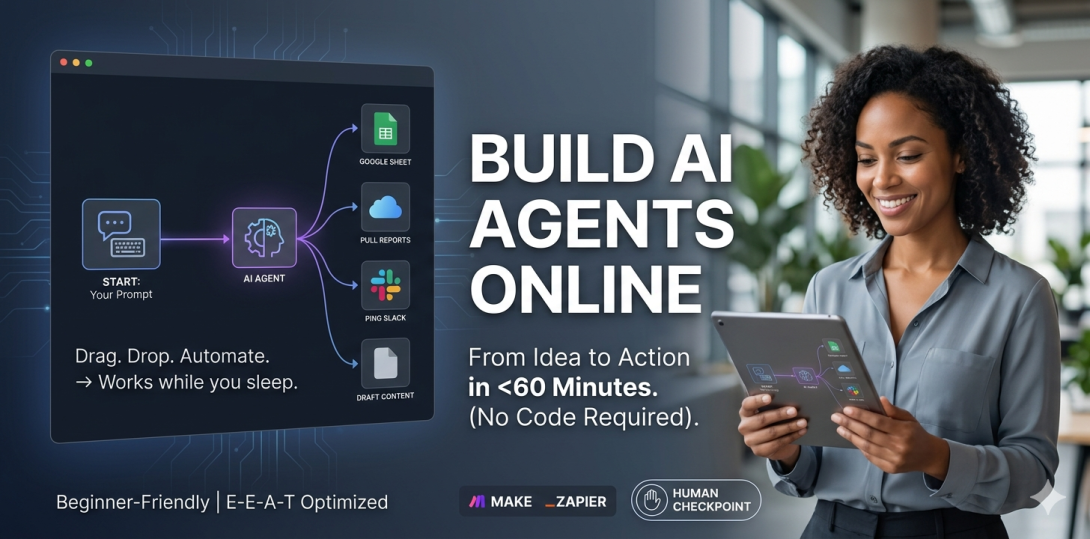
Let me be upfront with you — a year ago, “AI agent” sounded like something only engineers at Google got to play with. Not anymore. Right now, people with zero coding background are setting up AI agents that handle customer queries, draft content, pull reports, and ping Slack — all while they sleep.
If you’ve been wondering how to build AI agents online without getting lost in a sea of tutorials and jargon, this is the post for you. No fluff. No PhD required.
First, what even is an AI agent?
Here’s the simplest way I can put it: a regular chatbot waits for you to talk to it. An AI agent goes off and does things.
You tell it “Find me the top 5 competitors in my niche and drop the results in a Google Sheet.” It searches the web, reads the pages, picks out the useful stuff, and fills in the spreadsheet. Done — while you were on your lunch break.
That’s the big shift. These tools don’t just respond — they act. And that’s what makes them genuinely useful for real work.
Why build AI agents online (and skip the coding)?
Three years ago, if you wanted a custom AI workflow, you’d have needed a developer, a budget, and a lot of patience. The landscape has changed fast. Platforms now exist purely so that non-technical people can build, test, and deploy AI agents — through drag-and-drop interfaces, not terminal windows.
That means a solopreneur in Mumbai can automate their lead follow-up the same afternoon they learn the tool exists. No waiting, no outsourcing.
Quick reality check: Most people ship their first working AI agent within 60–90 minutes. The learning curve isn’t steep — it just feels that way before you start.
The tools worth your time right now
There are a lot of options out there — some good, some overhyped. Here’s what actually holds up for beginners:
Tool
Why it works for beginners
Make
Visual, flexible, and has a generous free plan. Good for connecting apps with AI steps in between.
Zapier AI
Easiest to get started. If you’ve used Zapier before, the AI features just slot in naturally.
Relevance AI
Purpose-built for AI agents. Slightly more powerful — ideal once you’ve done one or two simple ones.
Langflow
Open-source and customizable. Slower to start but gives you more control as you grow.
How to actually build your first one
Don’t try to boil the ocean. Seriously. Pick the smallest, most annoying repetitive task in your week and start there. Something like “Every time I get a new inquiry email, log it in a spreadsheet and send me a summary.” That’s a perfect first agent.
The rough process looks like this:
- Pick one task. Not three. One. Get specific about what triggers it and what the end result should look like.
- Choose your platform based on the apps you already use. Most agents need at least two things connected.
- Write your prompt like you’re explaining the job to a smart intern. Context matters. “Summarize this” is worse than “Summarize this in 3 bullet points for a non-technical manager.”
- Run it on 5–10 real examples before you let it run unsupervised. You’ll always catch something.
- Once it works consistently, expand it. Add a step, connect another tool, or hand the logic off to a more complex agent.
Worth remembering: Your prompt is basically your agent’s brain. A sloppy prompt gives sloppy results. Spend more time here than you think you need to.
Mistakes that catch people out early on
The number one issue? People build something too complicated for their first project and then wonder why it breaks. An agent with 12 steps and 6 conditions is not a beginner project.
The second big one is going fully autonomous too fast. Just because you can doesn’t mean you should — especially for anything touching clients, money, or external communications. Keep a human checkpoint in the loop until you’re completely confident in the output quality.
The window to get ahead is open — but not forever
Here’s the thing about building AI agents online: right now, most people are still in the “I’ve heard about this” phase. The ones who actually sit down and build something — even something clunky and imperfect — are going to have a real advantage six months from now.
It doesn’t matter if you’re running a small business, managing a team, or freelancing on the side. AI agents save time. And time is the one thing you can’t make more of. Start with one small thing this week. That’s it.
Quick answers to questions people actually ask
Do I need coding skills to build AI agents online?
No — and I don’t say that lightly. Tools like Make and Zapier AI were built specifically for people who don’t code. If you can drag a box and fill in a text field, you have what it takes. The only thing that trips people up is vague thinking, not technical skill.
Realistically, how long does the first one take?
For a basic, single-task agent? Anywhere from 45 minutes to a couple of hours, depending on how much time you spend fiddling with the prompt. I’ve seen people get something useful running in under an hour. Don’t overthink it — just start.
What’s the actual difference between a chatbot and an AI agent?
A chatbot talks. An AI agent does. That’s the simplest way to put it. Agents can use tools, trigger other systems, make decisions based on conditions, and take multi-step actions without you needing to be there. A chatbot on your website is reactive. An AI agent is proactive.