
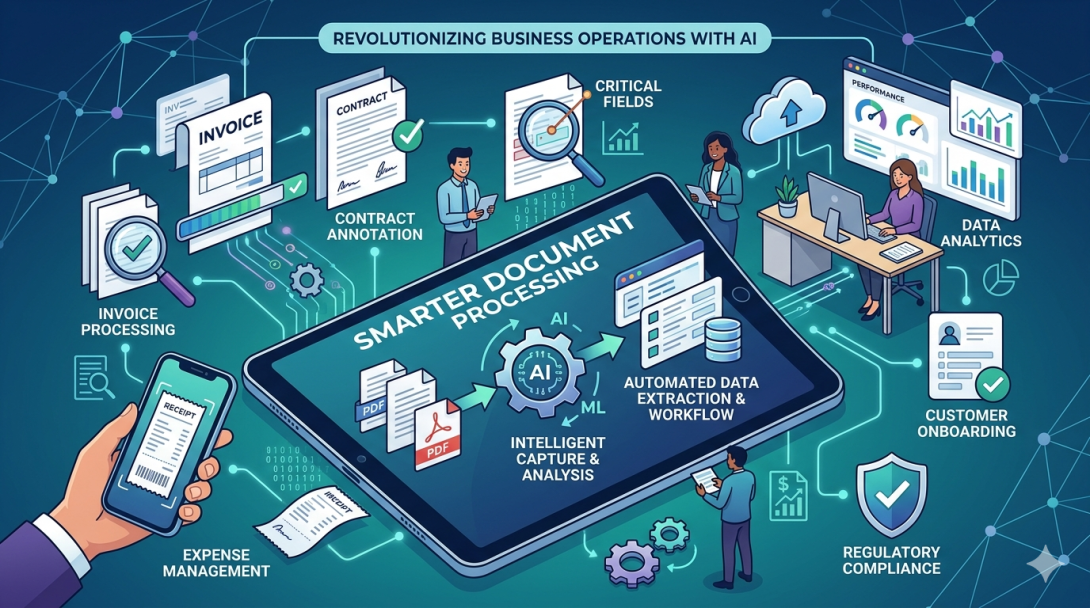
There's a quiet shift happening in offices and print environments across industries. It's not headline-grabbing, but the businesses that have figured it out are running noticeably leaner — fewer bottlenecks, faster output, lower costs per page. The shift is in how organisations approach document processing: not just printing or scanning, but the entire workflow from capture to delivery.
And no, this isn't about going paperless. Most businesses still need physical documents. The question is how intelligently you're handling them.
What Document Processing Actually Means for Modern Businesses
Document processing covers a broader scope than most people realise. At its core, it refers to how businesses capture, convert, manage, route, and output information — whether that's a contract, a print job, a scanned invoice, or a high-volume marketing collateral run.
For companies dealing with large-format print work, prepress workflows, or multi-department document routing, the complexity multiplies fast. A missed step in a prepress chain can mean reprints, delays, and client complaints. A slow scan-to-archive process can bottleneck compliance workflows for days.
Getting document processing right isn't just an IT concern. It directly affects turnaround times, operational costs, and in regulated industries, legal compliance.
The Role of Hardware in Building Efficient Prepress Processes
Software can only do so much. At some point, your hardware has to deliver — and that's where production-grade A3 multifunction devices have earned their place in serious print environments.
The Konica bizhub A3 Printer range is a strong example of what purpose-built hardware looks like in practice. These devices are designed for environments where document volume is high and output consistency matters. They handle A3 formats natively, which makes a meaningful difference when you're producing marketing materials, architectural drawings, or compliance documents that can't be reformatted down to A4.
Why A3 Capability Matters in Document Workflows
Most office MFPs are A4-only. That's fine for standard correspondence — but the moment a workflow includes booklets, tabloid-format reports, or large-format branding materials, an A4-only device becomes a workaround machine rather than a production tool.
Efficient prepress processes depend on minimising those workarounds. When every job that needs A3 output has to get rerouted to a separate device, you're adding handling time, potential for error, and queue congestion. An integrated A3 device in the workflow removes that friction entirely.
Where Automation Fits Into the Picture
One of the underrated elements of modern document processing is workflow automation — specifically, rules-based routing that sends documents to the right destination without manual intervention.
Think about a procurement team receiving dozens of supplier invoices daily. Without automation, someone's touching every document: sorting, scanning, renaming, uploading. With a properly configured document processing system, that same volume gets captured, classified, and routed automatically — straight into the relevant folder or ERP system.
The time savings compound quickly. More importantly, errors drop. Manual handling is where data gets miskeyed, files get lost, and compliance trails go cold.
Making the Case for Consolidated Print Infrastructure
Running multiple devices — a dedicated scanner here, a basic printer there, a separate production machine for larger jobs — is more expensive than it looks on paper. There's maintenance overhead, consumables fragmentation, and the hidden cost of time lost switching between machines.
Consolidating around devices that handle the full spectrum of document processing tasks (print, scan, copy, fax, digital workflow integration) tends to reduce total cost of ownership over a 3–5 year cycle. It also simplifies IT management considerably.
This is where investing in capable hardware pays off beyond the spec sheet.
Frequently Asked Questions
What is document processing in a business context?
Document processing refers to the systems and workflows businesses use to capture, manage, transform, and distribute documents — including physical printing, digital scanning, file routing, and archiving. It covers everything from a single invoice scan to a high-volume print production run.
How does A3 printing improve prepress efficiency?
A3 printing allows documents to be produced at their intended format without scaling or reformatting. For prepress workflows involving brochures, posters, or technical drawings, this eliminates a common source of rework and ensures output matches the original design specifications.
Is the Konica bizhub A3 Printer suitable for high-volume office environments?
Yes. The bizhub A3 range is built for environments with consistent, high-volume demands. It supports advanced scan-to-workflow features, high-speed output, and integration with document management systems — making it a practical fit for businesses that treat document processing as a core operational function, not an afterthought.