

Nobody calls me excited about printers. They call me annoyed. Usually it's the same story — a machine died mid-deadline, or the bill jumped and finance wants answers, or three different cartridges are sitting in a drawer and none of them fit the device anyone's actually using.
And honestly? That mess almost always traces back to one decision made badly months earlier: who they picked to handle their printing.
It's not a glamorous choice. But here in Saudi Arabia, with offices growing the way they are and everyone racing to digitise under Vision 2030, it's one that quietly costs companies a lot more than they think. So let me walk you through how I'd actually pick, if it were my money.
First, figure out what you really need
Skip the brochures for a minute. Before you talk to anyone, be straight with yourself about how your office uses paper.
A small design studio and a 200-seat call centre have basically nothing in common here — yet salespeople will pitch them the same shiny machine. Don't fall for it.
Few questions worth sitting with:
- Roughly how many pages a month does your team go through?
- Mostly plain black-and-white, or do you need colour for client work?
- Do people scan and share as much as they print?
- How many staff use the thing, and from where?
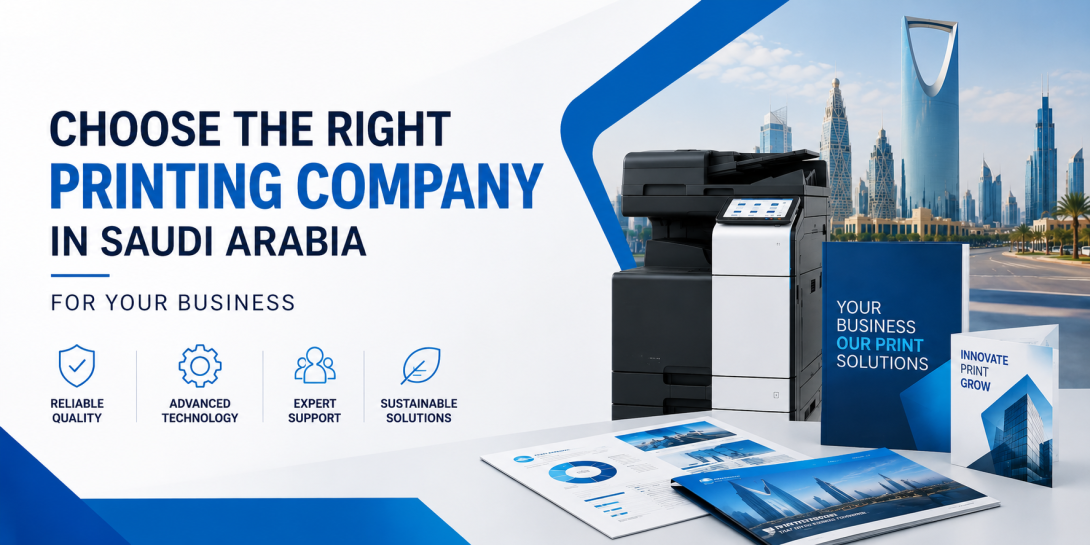
If your volume's high and your needs are mixed, an office multifunction printer usually beats buying separate machines — one box that prints, scans, copies, the lot. And for document-heavy places, which most Saudi offices are, a printer multifunction laser is the workhorse. Faster, cheaper per page, less fuss than inkjet.
Nail this bit and everything after it gets simpler.
The machine isn't really the point
This is where people trip. They line up three printers, compare the spec sheets, pick the cheapest one that ticks the boxes. Done.
Except the box was never the thing that mattered. The service behind it is.
That's the whole reason managed print services companies exist. Rather than selling you a printer and waving goodbye, they take the whole headache off your plate — the devices, the monitoring, topping up toner before you've even noticed it's low, fixing faults before they wreck your afternoon. You pay one predictable amount each month and stop thinking about any of it.
For a business that's growing, that's a bigger deal than it sounds. No frantic toner runs. No repair bills out of nowhere. No half the morning lost because nobody can clear a jam.
When you're weighing providers, that service layer should carry far more weight than whose logo is stamped on the front.
What actually separates the good ones
Once you've got a shortlist, the gaps show up quick. Here's what I'd push on.
How fast can they actually reach you? A provider with technicians already in Riyadh, Jeddah or Dammam beats one routing every call through some far-off office. Ask for a real response-time commitment, and get it written down.
Real consumables. Cheap knock-off toner can wreck a machine and void the warranty along with it. Check they use original parts and keep stock locally — you don't want to wait two weeks for a shipment while your office can't print.
Contracts you can read. Some cost-per-page deals look great until you hit colour pages or blow past a cap buried in clause nine. A decent company just explains the numbers. If they won't, that tells you something.
Both languages, properly. Support that works in Arabic and English saves a surprising amount of grief — training staff, logging a fault, all of it.
Security. Modern multifunction devices store data, and people forget that. If you're in finance, healthcare, anything sensitive, ask flat out how they secure the device and wipe what's on it.
Answer those five clearly and you're probably looking at a company worth keeping.
Think a few years out, not a few weeks
You're not buying a stapler. You'll likely be stuck with this provider for years, so picture the long version.
Can they grow with you when the second office opens? Upgrade the fleet without a miserable migration? Will they look at your usage and tell you where you're wasting money — or just keep sending invoices? The good ones act like partners. They'll flag when you're overpaying, not only when they've got something new to sell you.
Bit like hiring someone, really. The cheapest option almost never stays the cheapest once you add up everything that goes wrong with a bad fit.
And about price
Yes, cost matters. I'm not going to pretend it doesn't. But the lowest quote tends to hide the highest real total. A bargain machine with pricey cartridges, sluggish support and a rigid contract can cost you far more across three years than something a little dearer that just works.
So look at the full picture — hardware, consumables, support, downtime, how flexible the contract is. That total is the number that counts. Not the one on the sticker.
So, where does that leave you?
Honestly, it comes down to one small change in how you think about it. Stop hunting for a machine. Start hunting for a partner.
Work out what you genuinely need, judge the service as hard as the hardware, ask the awkward questions about support and contracts, and go with the company that treats your printing as their job instead of your problem.
Do that, and printing becomes one of those things you never have to think about again. Which, frankly, is the whole point of getting it right.
Frequently Asked Questions
What are managed print services?
It's where a provider takes the whole printing setup off your hands — devices, usage monitoring, consumables, repairs — for a fixed monthly fee. Instead of managing printers yourself, you hand the lot to someone whose job it is to keep them running.
Is a multifunction laser printer better than inkjet for an office?
For most offices, yes. A printer multifunction laser model is quicker, cheaper per page at volume, and built for the document-heavy work businesses actually do. Inkjet still has its place for low volumes or photo work — just not the typical office.
How do I know how many pages my business prints each month?
Most printers keep a page count somewhere in their settings or admin panel. Starting from scratch? A good managed print provider will look at your team size and how you work, then estimate it and suggest the right device.
What should I check before signing a printing contract in Saudi Arabia?
Local support response times, whether original consumables are included, the true cost per page once you count colour and overage, proper Arabic and English support, and how device data is handled. Straight answers on those usually point to a provider you can rely on.
Does an office multifunction printer handle scanning and copying too?
Yes — an office multifunction printer rolls printing, scanning, copying and often faxing into one device. Less clutter, simpler support, and usually cheaper than running separate machines for each job.