

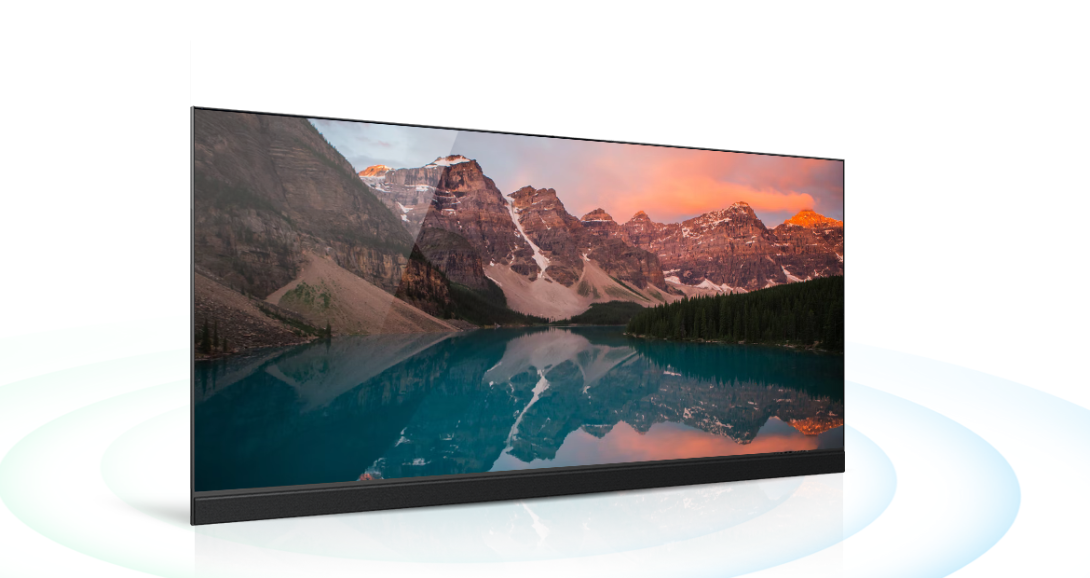
Large digital screens are becoming a common part of offices, classrooms, conference rooms, control centers, retail spaces, and public environments. But behind the bright and detailed images is a combination of display technologies working together.
An integrated LED display brings several important display components into a single system. Understanding how this technology works can help businesses, educators, and technology users make better decisions when planning a large-format visual setup.
What Is an Integrated LED Display?
An integrated LED display is a large-format display system that uses LED technology to produce images, videos, presentations, and other digital content.
Unlike a traditional television or projector setup, an integrated LED display is designed as a dedicated large-screen solution. It combines the LED display modules and supporting electronics into a coordinated system.
These displays can be used for different applications, including:
- Business presentations
- Video conferencing
- Digital signage
- Training and education
- Retail communication
- Events and conferences
- Control rooms
- Hospitality environments
The exact design and specifications can vary depending on the application.
How Does LED Display Technology Work?
LED stands for Light Emitting Diode. LEDs are small semiconductor devices that produce light when an electrical current passes through them.
In an LED display, thousands of tiny LEDs work together to create images.
Each pixel contains smaller light elements that can produce different levels of red, green, and blue. By controlling these elements, the display can create a wide range of colors.
This process happens extremely quickly, allowing the screen to show videos, animations, graphics, and other moving content.
Understanding Pixel Pitch
One important term in LED display technology is pixel pitch.
Pixel pitch refers to the distance between the centers of two neighboring pixels. It is usually measured in millimeters.
A smaller pixel pitch means the pixels are positioned closer together. This can help create a finer image, particularly when viewers are sitting close to the screen.
The appropriate pixel pitch depends on the viewing distance and the size of the display.
For example, a screen used in a conference room may require different specifications from a large display installed in a stadium or public space.
Why Brightness Matters
Brightness is another important factor when selecting an LED display.
A display used indoors may not need the same brightness level as one installed in a brightly lit environment or outdoors.
If the display is too dim, content may become difficult to see. If it is unnecessarily bright for an indoor environment, it may be uncomfortable to view.
Choosing brightness based on the room's lighting conditions can help create a more comfortable viewing experience.
Understanding Refresh Rate
The refresh rate describes how frequently the display updates the image on the screen.
A higher refresh rate can help create smoother motion and reduce certain visual issues, particularly when displaying video or fast-moving content.
This can be important for applications such as presentations, live events, video conferencing, sports content, and professional visual environments.
Integrated LED Display vs. Traditional Displays
Traditional displays such as LCD or plasma screens are commonly available in smaller sizes. When a very large viewing area is required, multiple screens may be joined together to create a video wall.
An integrated LED display approaches the problem differently by using LED modules to create one large visual surface.
This can provide a seamless appearance without the same type of visible gaps associated with bezels between conventional screens.
The choice between technologies depends on screen size, viewing distance, resolution requirements, room conditions, budget, and intended use.
Integrated LED Displays for Learning
Display technology can play an important role in modern education.
Large LED displays can be used in classrooms, lecture halls, training centers, and universities to show:
- Educational videos
- Presentations
- Diagrams
- Charts
- Digital lessonsInteractive content
- Remote participants
- High-resolution images
A large display can make visual information easier for students to see, especially in larger classrooms.
For technical subjects, high-quality visuals can also help teachers explain complex diagrams, designs, simulations, and other digital material.
Use in Corporate Environments
Businesses increasingly depend on visual communication. Large displays can support meetings, presentations, training sessions, video conferencing, and internal communication.
For example, a company may use an integrated LED display in a boardroom to present financial reports, project information, or business dashboards.
In a larger conference room, the display can provide a clear view for people sitting farther away.
Connecting an Integrated LED Display
An LED display is only one part of a complete visual system. It may need to connect with other technologies depending on its application.
These can include:
- Computers
- Laptops
- Video conferencing systems
- Media players
- Content management systems
- Cameras
- Audio systems
- Wireless presentation tools
- Control systems
This allows the display to become part of a larger AV technology ecosystem rather than functioning as a standalone screen.
Content Management and Digital Signage
Integrated LED displays are also widely used for digital signage.
Businesses can use digital signage software to manage images, videos, announcements, advertisements, schedules, and other content.
When multiple displays are used across different locations, centralized content management can make it easier to update information consistently.
For example, a retail organization could update promotional content across several stores without manually changing each screen.
Energy and Maintenance Considerations
Like any electronic system, an LED display requires appropriate installation, operation, and maintenance.
Businesses should consider factors such as:
- Power consumption
- Operating hours
- Cooling and ventilation
- Installation environment
- Cleaning
- Component replacement
- Technical support
Regular maintenance can help identify potential problems and keep the display operating effectively.
How to Choose an Integrated LED Display
Before selecting a display, it is useful to understand the environment where it will be installed.
Consider:
- Viewing distance: How far will viewers typically be from the screen?
- Screen size: How large does the display need to be?
- Pixel pitch: What level of image detail is required?
- Brightness: How much ambient light is present?
- Content type: Will the display mainly show text, presentations, videos, or detailed graphics?
- Connectivity: What devices and systems need to connect to it?
- Installation: Where will the display be mounted?
- Answering these questions can make it easier to identify the right display technology.
The Future of Large-Format Display Technology
Display technology continues to develop as businesses and educational institutions look for better ways to present information.
Higher resolution, smaller pixel pitches, improved processing, smarter content management, wireless connectivity, and integration with other AV technologies are shaping the next generation of visual communication.
Integrated LED displays are becoming part of this wider movement toward larger, more flexible, and more connected digital environments.
Conclusion
An integrated LED display is more than a large screen. It combines LED technology, image processing, connectivity, and supporting systems to create a large digital surface for visual communication.
Understanding concepts such as pixel pitch, brightness, refresh rate, resolution, digital signage, AV integration, and content management can help users understand how these displays work and where they can be useful.
Whether used in education, corporate environments, retail, events, or other professional spaces, the right integrated LED display should be selected according to the room, viewing distance, content, and specific technology requirements.