

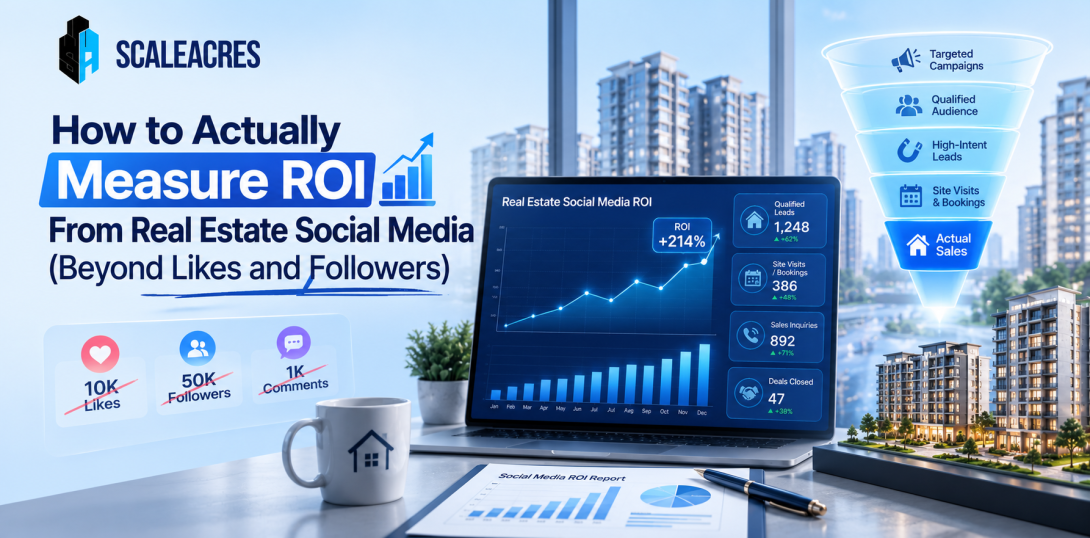
A developer once told me his Instagram strategy was "working great" because he'd crossed ten thousand followers in six months. When I asked how many actual bookings had come from that account, he genuinely didn't know. Nobody had ever connected the two numbers. He had a growing audience and no idea whether it was translating into anything that actually mattered to his business.
This disconnect is incredibly common. Most social media marketing for real estate gets judged by the easiest numbers to see — followers, likes, comments — instead of the numbers that actually reflect whether the effort is producing revenue. Here's how to actually measure this properly.
Vanity Metrics Aren't Useless, Just Incomplete
Followers and likes aren't meaningless. A growing, engaged audience does suggest content is resonating with someone. But these numbers say nothing about whether that audience includes actual potential buyers, or whether any of them are moving closer to a purchase decision. A page can have strong engagement from people who will never buy a home in that city, while quietly failing to reach the small group of genuinely interested buyers who matter far more.
The real question isn't whether people are watching. It's whether the right people are watching, and whether that attention is turning into something measurable.
Start With Click-Through, Not Just Reach
The first real signal worth tracking is how many people are clicking from a social post to your website or enquiry form, not just how many saw the post. A post can get thousands of views and generate almost no clicks, while a smaller, more targeted post drives a meaningful number of people to actually take the next step. Tracking this consistently across posts reveals which content types are genuinely moving people forward, versus which ones are just generating passive scrolling.
Track Leads by Source, Not Just in Total
A lot of developers know their total lead count for the month but can't say how many came specifically from Instagram versus Facebook versus organic search. Without this breakdown, it's impossible to know where social media is actually contributing versus where it's just adding to overall brand awareness without directly generating enquiries. Setting up proper UTM tracking on every link shared through social posts, and tagging leads by source in your CRM, closes this gap and makes the actual contribution visible.
Cost Per Lead From Social Specifically
Once leads are properly tagged by source, cost per lead becomes calculable for social media specifically, not just blended across all channels. This number often surprises developers. Sometimes social media produces leads far cheaper than paid search. Sometimes it's the opposite, and budget has been misallocated for months without anyone noticing because the blended average looked acceptable on its own.
Lead-to-Site-Visit and Lead-to-Booking Rates
This is where the real story shows up. A channel might generate a high volume of leads at a low cost, but if very few of those leads convert into scheduled site visits or actual bookings, the channel isn't performing as well as the surface numbers suggest. Comparing lead-to-visit and lead-to-booking rates across different social platforms and even different content types reveals which efforts are actually contributing to revenue, not just activity.
Retargeting Performance Deserves Its Own Tracking
Buyers often engage with social content multiple times before converting — following a page, later clicking a retargeted ad, eventually filling out a form weeks later. Treating this as a single, disconnected event misses the full picture. Setting up proper attribution that credits the full journey, not just the final click, gives a much more accurate sense of how social media is actually contributing to a sale, even when that contribution happens gradually over several touchpoints.
Building a System That Actually Reports This
None of this happens automatically. It requires deliberate setup — UTM parameters on every link, CRM fields tagging lead source accurately, and someone actually reviewing this data on a regular schedule instead of glancing at follower counts once a month. This kind of disciplined tracking is exactly what separates genuinely effective social media for realtors from accounts that just look active without anyone knowing if the activity is paying off.
What a Better Monthly Report Actually Looks Like
A report worth reviewing should show leads generated by platform, cost per lead by platform, click-through rate by content type, and conversion rate from lead to site visit and lead to booking, broken down the same way. Follower growth can still be included, but as a minor supporting metric, not the headline number the entire report is built around.
Final Thoughts
Followers and likes feel good to report because they're easy to show and easy to grow. But they rarely tell a developer anything about whether social media is actually contributing to sales. The shift from vanity metrics to genuine performance tracking takes more setup, but it's the only way to actually know whether a campaign is working, or just looking like it is.